
Revision management

Revision management 

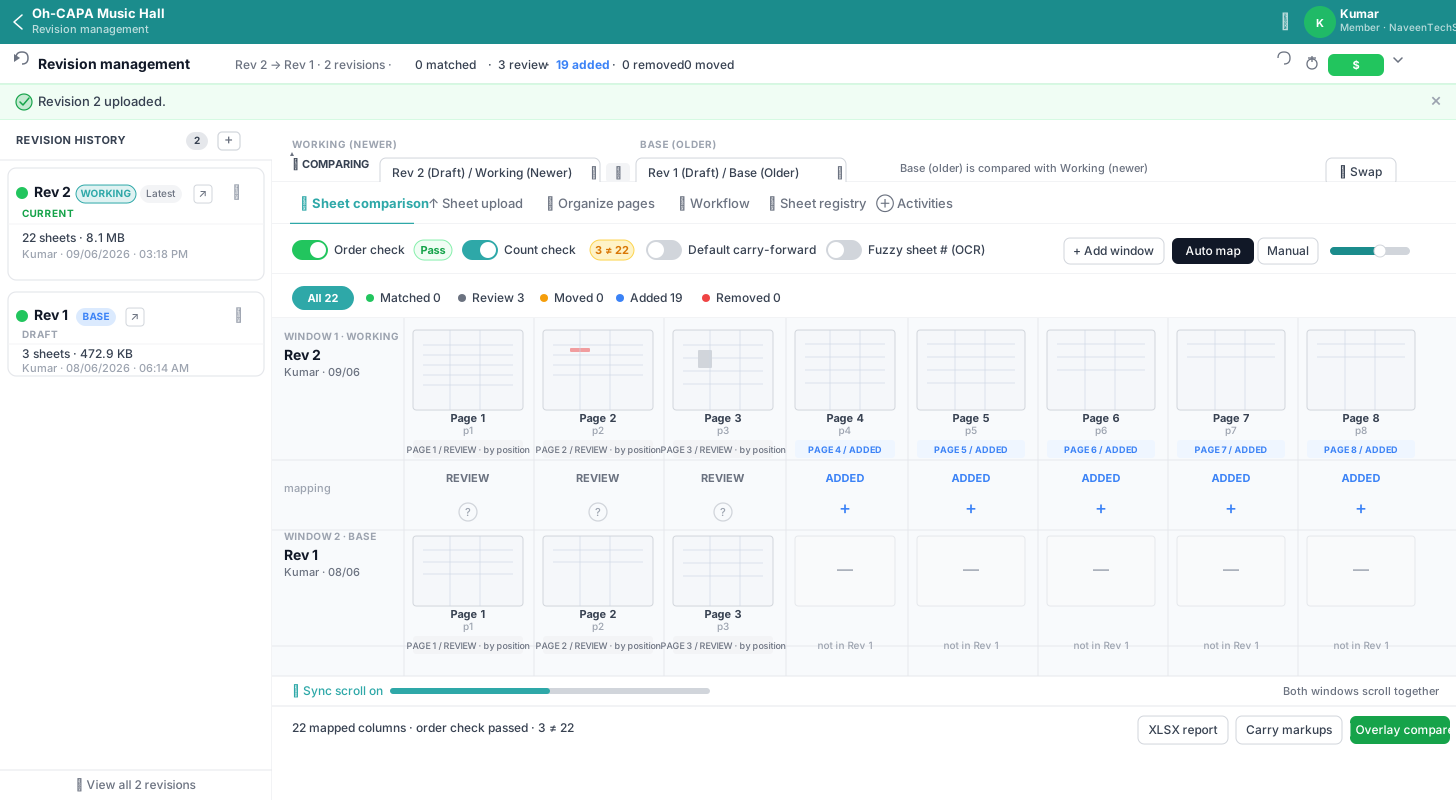
Upload new revisions without losing history. Switch between versions, promote to latest, and compare sheets side-by-side, with automatic recovery if a revision is removed.

01

Revision management

Every document supports a revision chain. Upload Rev B without overwriting Rev A; markups and comments scope to the revision you are viewing.

Used byDocument controllers, Project engineers
  • Revision management page: upload, workflow, sheet diff, and registry
  • Quick switch from left navigator or right-rail panel
  • Promote, edit labels, and delete from the timeline
  • Automatic fallback if a pinned revision is deleted
02

Drawing overlay & pixel diff

Compare two pages or two revisions with multiply, difference, or side-by-side modes, plus pixel-level change detection.

Used byIFC vs bid set review, Engineering change review
  • Compare arbitrary revisions of the same document
  • 2-point alignment UI for offset sheets
  • Pixel diff highlights changed regions as overlays
  • Export composite as PNG for records
03

Bookmarks & table of contents

Native PDF bookmarks plus custom bookmarks with indent levels. Bake a clickable TOC PDF for handoff packages.

Used bySubmittal packages, Owner handoffs
  • Add, rename, indent, and delete custom bookmarks
  • Click to jump to any bookmarked page
  • Bake bookmarks into a downloadable TOC PDF
  • Hierarchy preserved in generated TOC
Revision management screenshot

Stop forcing drawings into generic PDF workflows

Give your team a workspace built for technical drawings.