01
Scattered drawing sets
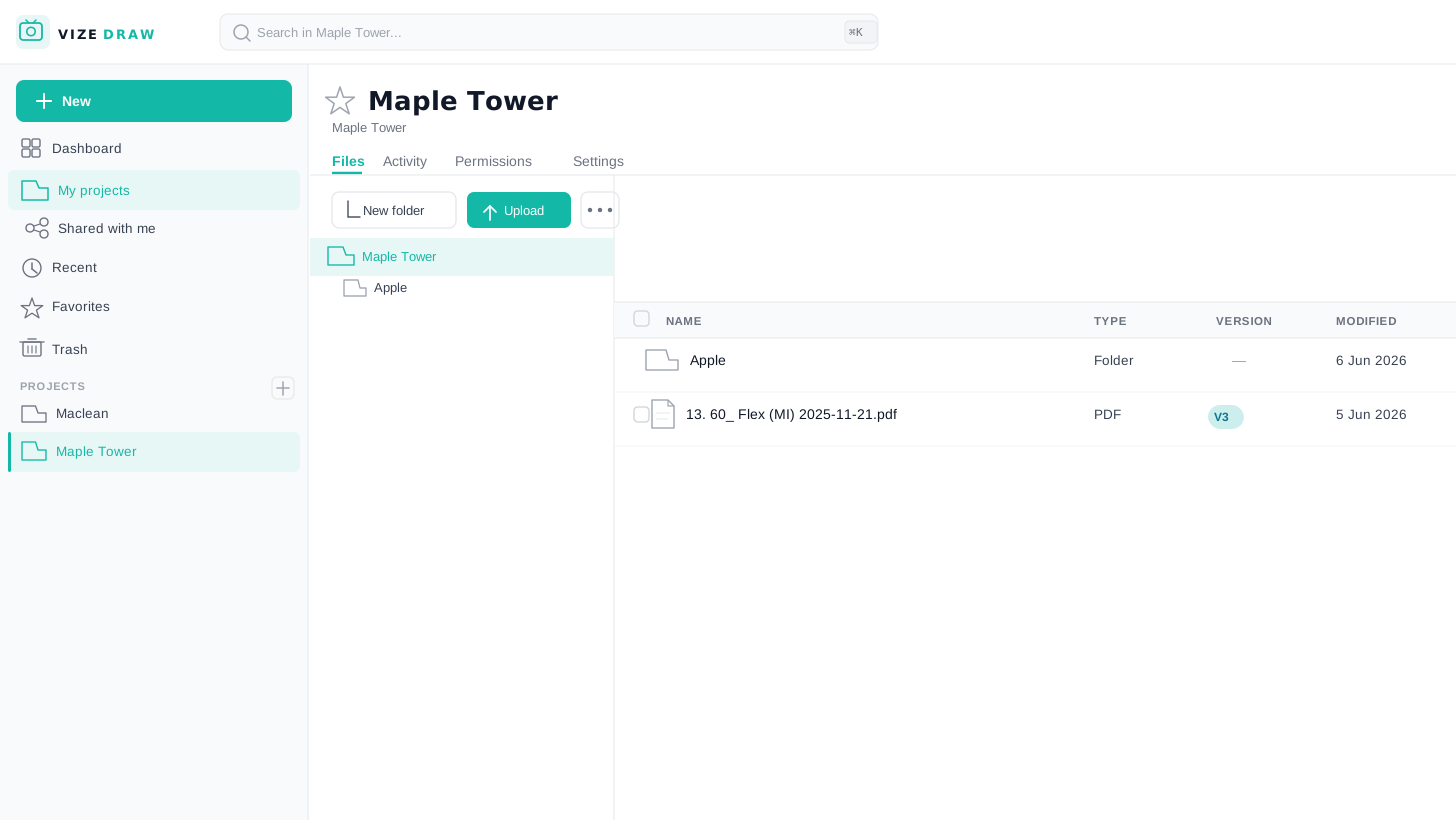
Drawing sets end up in folders, email threads, and random PDF bundles. Nobody can tell which file is current.
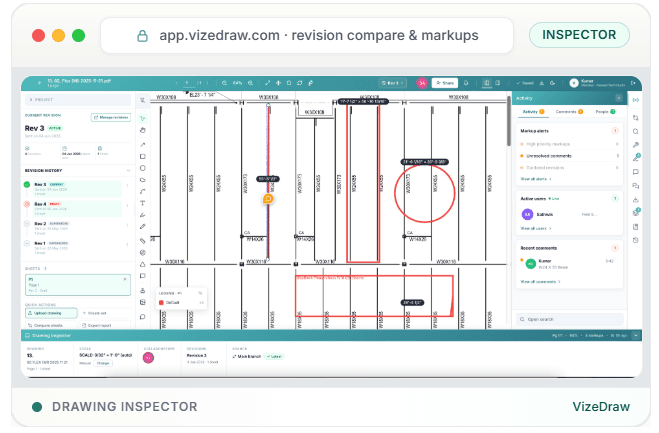
VizeDraw helps construction, manufacturing, and engineering teams organize drawing sets, run review markups, compare revisions, and export quantities in one place.
For teams that work from drawings every day, not occasional PDF uploads.
Drawings are not ordinary documents. They carry revisions, sheet numbers, dimensions, markups, and decisions that get lost in a plain PDF viewer. Teams need more than open, zoom, comment, and save.
When drawings are treated like ordinary PDFs, things slip. Delays, rework, and missed details follow.
Drawing sets end up in folders, email threads, and random PDF bundles. Nobody can tell which file is current.
Revision tracking becomes manual and error-prone when teams rely on filenames and memory.
Teams waste time searching across sheets and versions instead of finding answers in seconds.
Review comments lose context when they live in email threads disconnected from the sheet.
Estimators and engineers rely on memory because sheet status and notes are not written down anywhere useful.
Generic PDF tools treat drawings like any other document. They skip sheet numbers, revisions, and review context.
The full feature set for construction, manufacturing, and engineering workflows.
Construction and manufacturing workflows differ, but both depend on clear, current, searchable technical drawings.
 Construction
Contractors, subcontractors, estimators, project managers, and construction engineering teams.
 Manufacturing
Engineering, production, quality, procurement, and fabrication teams.
Bring PDF drawing packages into a structured workspace, not another shared drive folder.
Group sheets the way your team thinks: by trade, system, package, or review status.
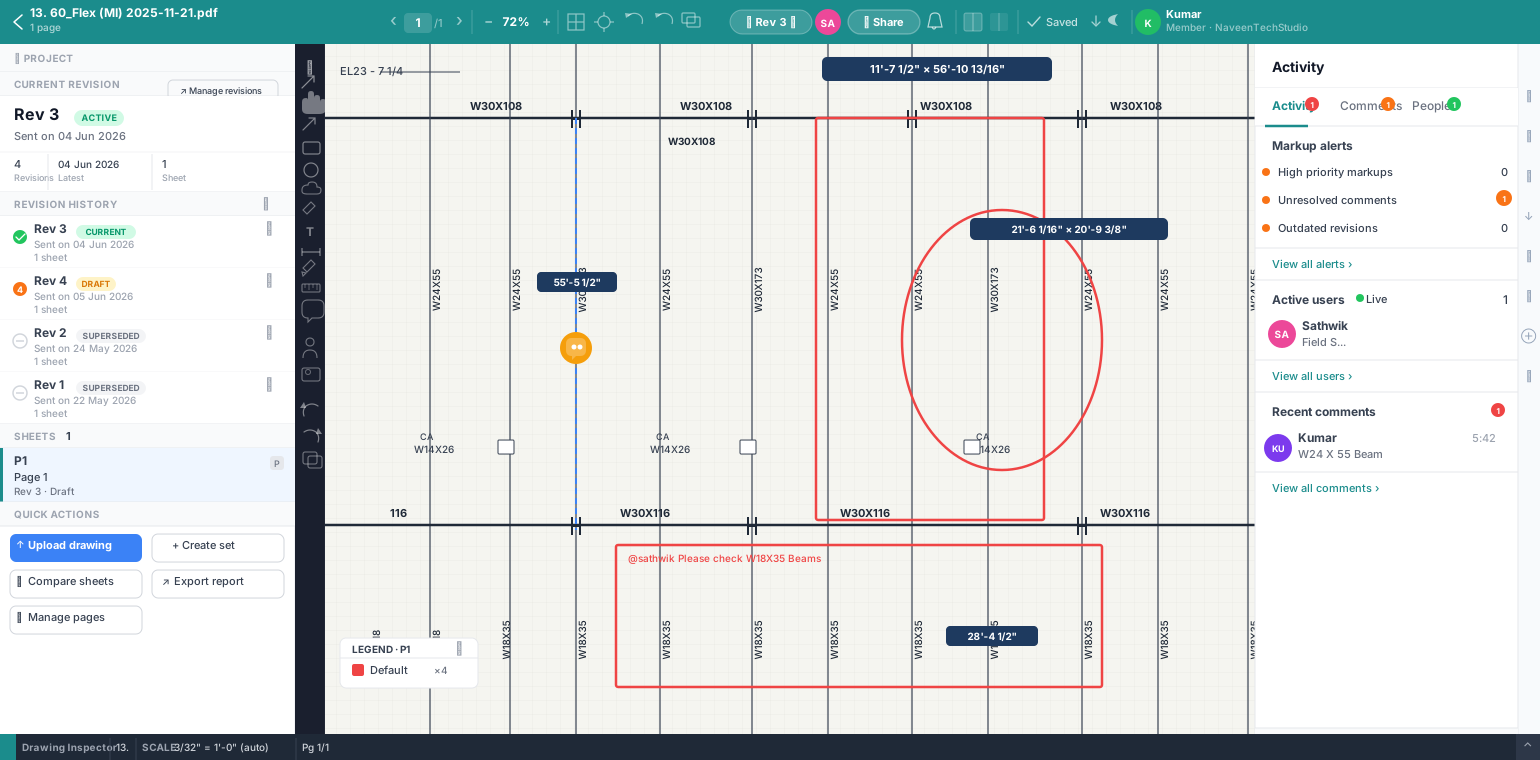
Structured markups and comments stay attached to the sheet, not lost in email.
Find sheet numbers, notes, and metadata without opening every file manually.
See what changed between versions before approvals, RFIs, or fabrication release.
Move from review to approval with a clear record of what changed and who signed off.
Built for organizations where technical drawings are business-critical assets, not occasional attachments.
Drawings drive bids, fabrication, quality, and field decisions. VizeDraw treats them accordingly.
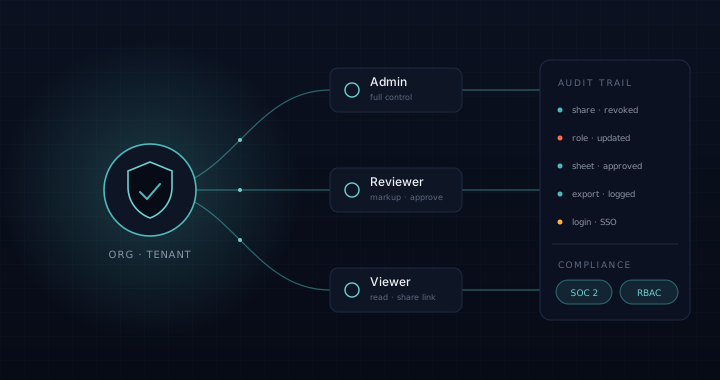
Built for cross-functional review across estimators, engineers, PMs, subs, and quality teams.
Organization-scoped access, structured workflows, and audit-friendly review patterns for teams that need them.
Focused on workflow improvement you can verify in a demo, not buzzwords on a landing page.
Representative accounts from the roles VizeDraw is built for — estimators, engineers, reviewers, and quality leads.
Revision tracking used to live in a spreadsheet and three peoples' heads. Now every sheet tells me which rev I am on before I mark anything up.
Give your team a workspace built for technical drawings.
For teams that use PDFs mainly to manage and review technical drawings, VizeDraw replaces generic PDF workflows with a workspace built for sheets.